
Transport Splitting & Supplier Order Visibility
Here you can find a full explanation of our release notes online:
https://app.trans-it.be/release-notes
Scroll to 2026.13 (21/5/2026)
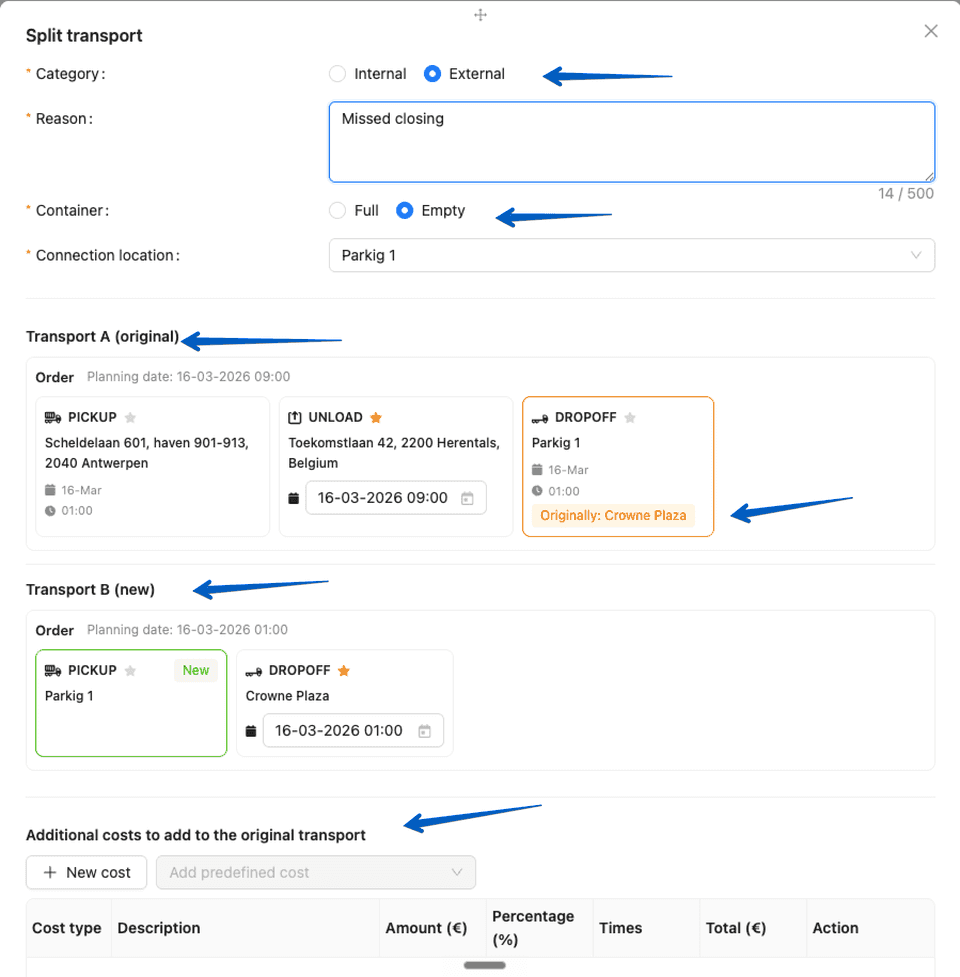
- Transports can now be split, and a separate transport can be created with a single button directly from the transport planning and transport details page.
- Users can select the split category, enter a reason for the split, and define the split location.
- Users can preview the orders and update the date and main waypoint.
- Users can add extra costs for the customer.
- The system opens an email module with prefilled email content based on the selected reason, allowing the user to review the message and send it to the customer.
- Different email templates are used for full and empty containers, as well as for internal and external reasons.
- Read more here about how to use this feature.
- The trucks column in the supplier overview can now be sorted, making it easier to find the right supplier.
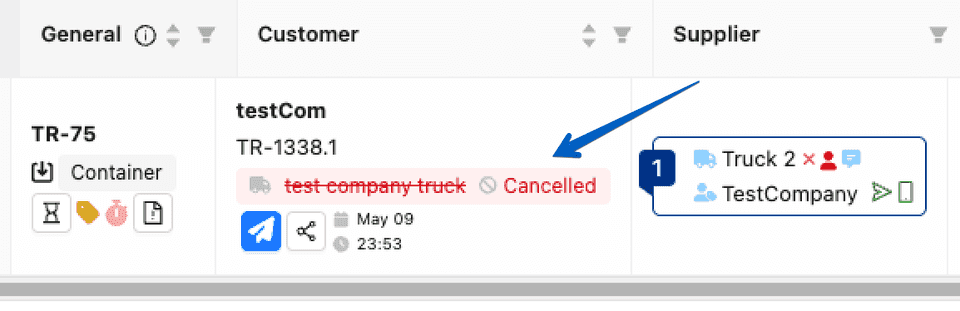
- When an order is forwarded to a supplier through Trans-IT and is later cancelled or reassigned to another supplier, the order now receives a clear red marker on the customer order so planners can identify it immediately.
- The truck license plate is now added to the subject line when automatic order emails are sent, ensuring the most up-to-date number plate is always included.
- The waiting hours clock in the transport overview now turns green only when the actual waiting hour costs have been sent. Sending other additional costs no longer changes the colour of the clock.
- The estimated time of departure (ETD) is now automatically recalculated when waypoints in a transport are changed and the distance difference is significant, as long as the ETD has not been manually overwritten.
- Long text fields in transport blocks are now displayed across the full width of the box, making information easier to read at a glance.
- The automatic customer update has been improved to provide more accurate and consistent status information.
- CoPILOT Waypoint location matching has been improved to better link related stops across transports.
- The status of a purchase order can now be changed directly from the details page, without switching to the purchase orders overview page.
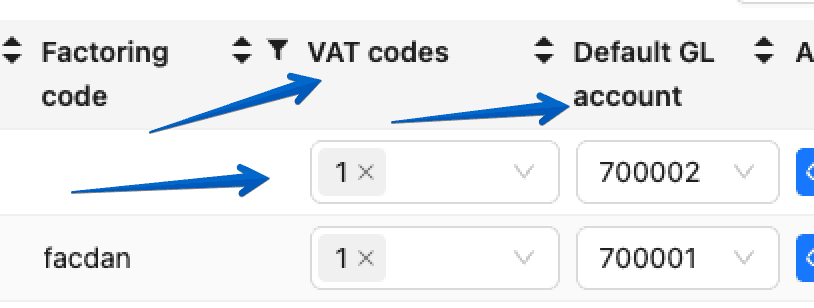
- A standard GL account reference can now be configured per customer and per supplier.
- Users can select a standard GL account reference from the overview or details page of a customer or supplier.
- The selected reference is automatically applied when creating invoices or purchase orders.
- If a customer or supplier does not have a standard GL reference, the system will use the company’s default reference.
Here you can find a full explanation of our release notes online:
https://app.trans-it.be/release-notes
Scroll to 2026.13 (21/5/2026)
Get Connected !
More info about Trans-IT and Marketplace!
Send a mail with mention of Trans-IT & Marketplace to:
lars@trans-it.be
Please include your company name, address, telephone number, email address, etc.
We will contact you and activate your account!