
Automatic supplier email when an order is sent to the driver
Here you can find all explanations of our release notes online:
https://app.trans-it.be/release-notes
Scroll to 2026.09 (12/4/2026)
- Companies can enable this feature in Company Preferences.
- Companies can disable this feature for specific suppliers.
- The system sends an email to the supplier with the order PDF attached.
- When system notifies the customer if the container has changed of added. Documents with the type container are automatically added as email attachments.
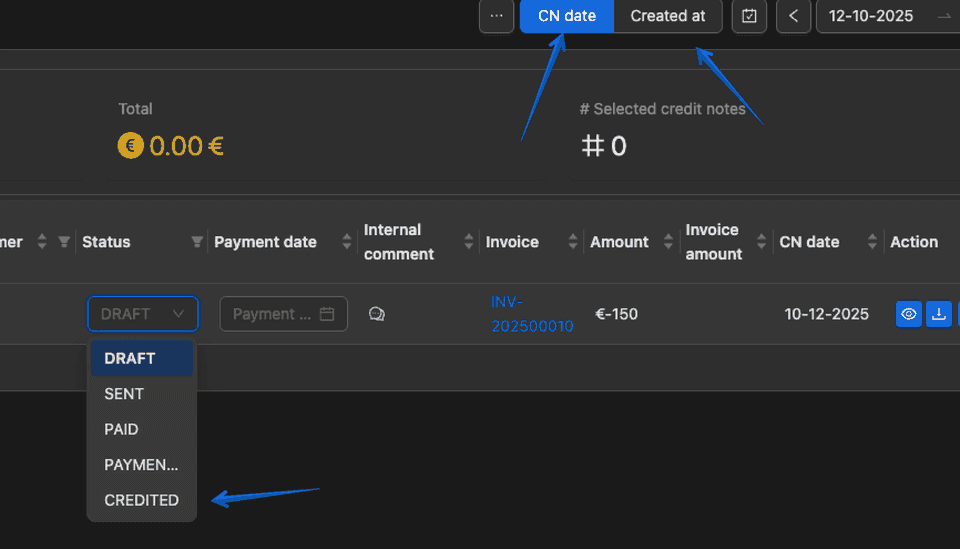
- Users can get credit notes by credit note date and credit note creation date.
- A CREDITED status has been added to credit notes.
- Location coordinates are now shown in the locations dropdown.
- The Drivers Overview is now customizable. Users can choose which fields to display and adjust column widths.
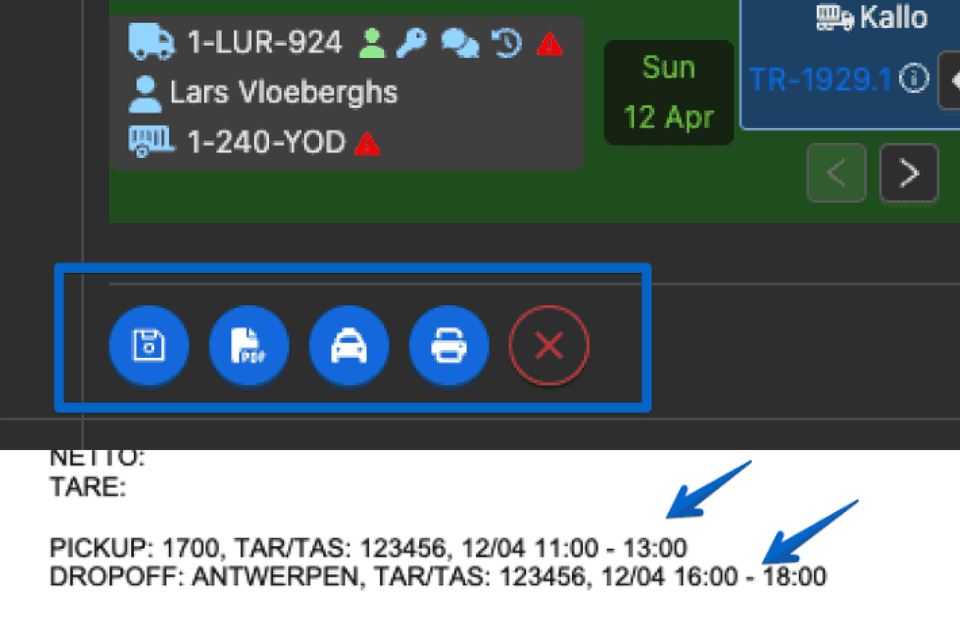
- Added a Save + Print CMR option in transports planning.
- The printed CMR now shows the time slot next to the TAR/TAS code.
- Unplanning an order from Truck Planning now moves the order back to the appointment date.
- Moving an order to another date in Truck Planning no longer changes its visibility for the driver, so it does not need to be resent.
- Users can now create a customer directly from the Create Transport page.
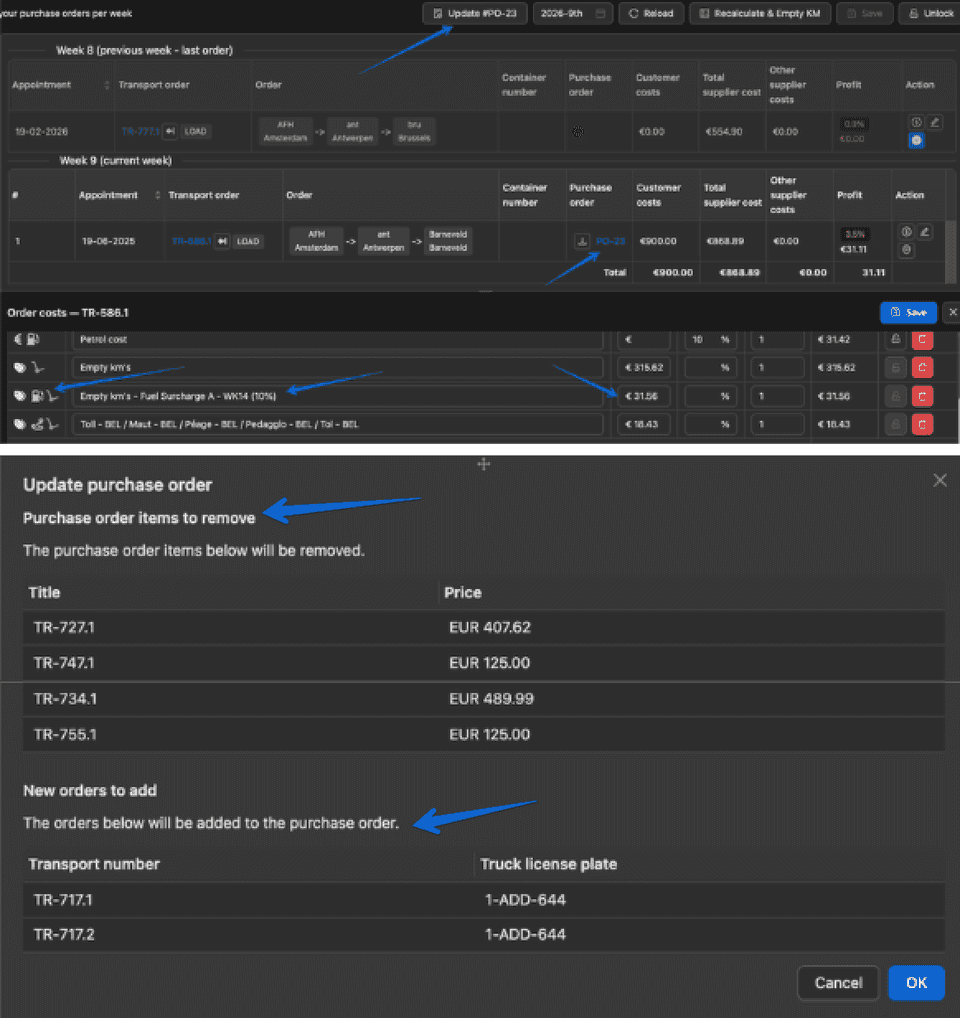
- The Purchase Orders Overview is now customizable. Users can choose which fields to display and adjust column widths.
- When creating a weekly purchase order, users can now update the existing purchase order for that week. The system warns the user if an order will be removed from the PO or if an order is already linked to another PO.
- When calculating order costs and empty kilometers, the system now also calculates the fuel surcharge for empty kilometers.
- Users can update bulk waypoint closing.
- BETA: Open the Outlook app with one click. Documents with the type .msg can now be opened directly in the Outlook app with one click. To use this feature, users need to download and install Trans-IT Outlook Opener. This feature is in beta and is available for Windows only.
- CoMarket waypoints now show the location name for both pickup and drop-off locations.
- Users can delete a CoPilot job from the overview.
- In CoPilot, if the system finds more than one contact with the same email address, it will not select the contact automatically and will show an informational message below.
- The CoPilot location selector has been optimized and now searches for locations in the system more effectively.
- In the order PDF, users can now see whether the container is empty or full at the waypoint.
- [Mobile App] Drivers can now see whether the container should be empty or full in waypoint.
- [Mobile App] Drivers are now required to fill in the ETA during loading or unloading and cannot skip this step.
- [Mobile App] Added an Archived tab to the overview. Completed orders now appear in Archived instead of below all active orders.
Here you can find all explanations of our release notes online:
https://app.trans-it.be/release-notes
Scroll to 2026.09 (12/4/2026)
Sign up now!
More info about Trans-IT and Market Place!
Send an email mentioning Trans-IT & Market Place to:
lars@trans-it.be
And include your company name, address, phone number, email, …
We will contact you and activate your account!