
This update is a Game Changer. One of many in the last year.
Yes, it may not immediately seem like a game changer, but users of our system save a significant amount of time with this innovation. Our TMS is already one of the strongest platforms on the market, but time and again we listen carefully to our customers and help them carry out their daily operations even more efficiently. By now, our TMS is pure top-level performance for our customers. This is how you distinguish yourself from other transport companies. Automation, AI assisting at every step of your planning, and a high-tech platform that supports you 100% at every step of your transport, every minute of the day.
Here you can find all explanations of our release notes online:
https://app.trans-it.be/release-notes
Scroll to 2026.08 (31/3/2026)
New Features & Improvements:
WhatsApp Authentication Now Available
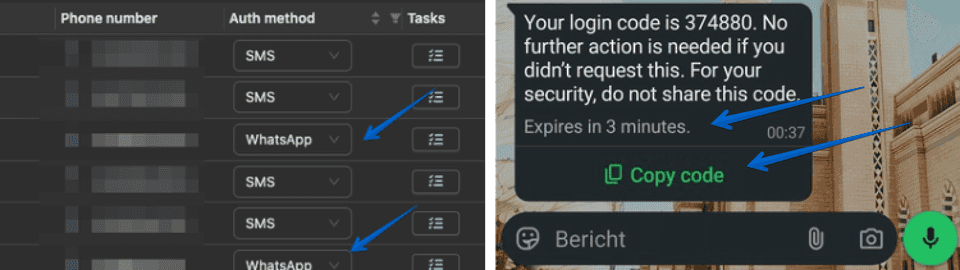
Does your driver sometimes not receive an SMS? No worries, we now have a solution. You can now enable WhatsApp authentication for your drivers, so they can receive their OTP code more reliably and no longer have to worry about missing the code.
This is an opt-in feature, so you can choose to activate it for your drivers starting today. To make the process even easier, drivers can also use a copy button for the code and clearly see when the OTP has expired.
- The application is now available in dark mode, which can be enabled from the settings.
- Drivers can now receive authentication codes via WhatsApp. This is an opt-in feature. Drivers or company user can update their preferred authentication method to ensure OTP codes are always received.
Flexible Transport Cost Updates
This release also brings more flexibility to bulk transport cost management. Users can now update transport costs in bulk from both the Transports Overview and Transport Planning pages. It is possible to update all costs, only base costs, only additional costs, or add new additional costs without overwriting existing values. Customer costs can also be protected to prevent automatic system overwrites.
These improvements give planning and operations teams more control over pricing updates while reducing manual work and the risk of unwanted changes, especially when managing larger transport volumes.
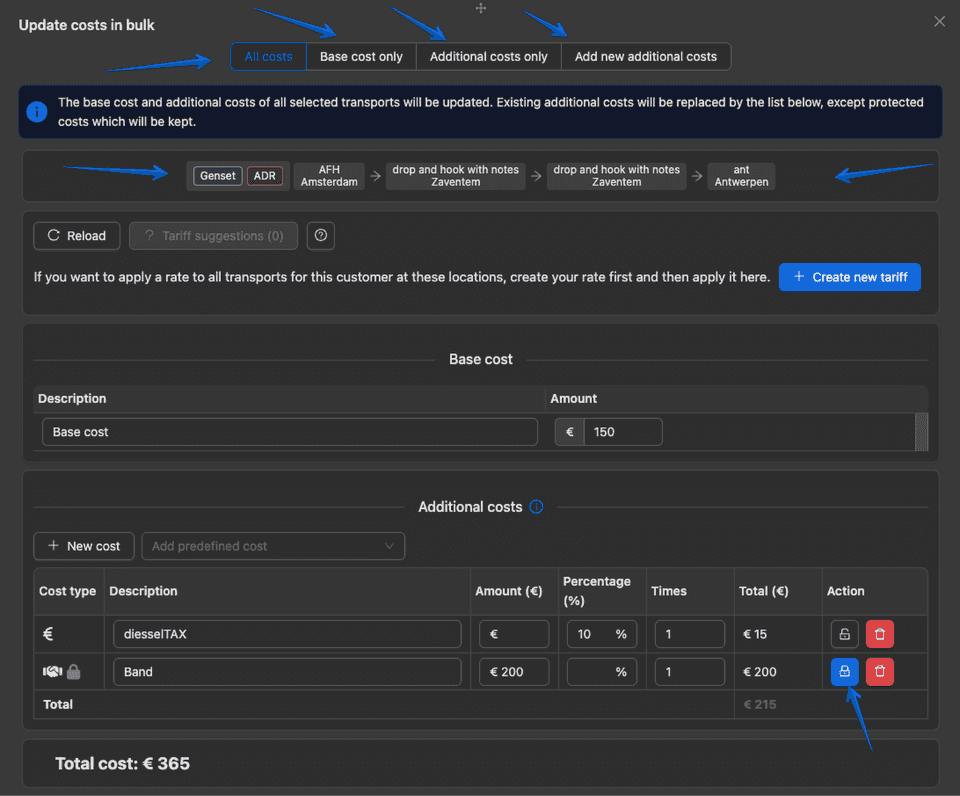
- Companies can now choose which fields to display on the Create Transport page, as well as their positions. This can be configured separately for transport fields and waypoint fields.
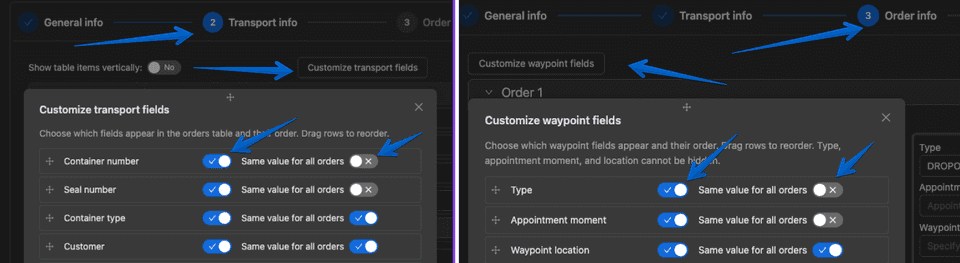
- Bulk transport cost updates
- Users can now protect customer costs to prevent them from being overwritten by the system.
- Users can update transport costs in bulk from both the Transports Overview and Transport Planning pages.
- Users can update all costs, only base costs, only additional costs, or add new additional costs without overwriting existing ones.
- Transport costs now display the route and other key cost-related information at the top.
- Tariffs can be applied if all orders belong to the same route in update bulk.
- Users now have the option to enable strict mode in customer tariff setting for customer tariff suggestions. In this mode, the system checks tariffs based on city and postcode instead of latitude and longitude. Only tariffs with the exact same route and the same number of waypoints will be shown.
- Customer tariffs created from a transport will now include a tag, displayed before the description in the overview.
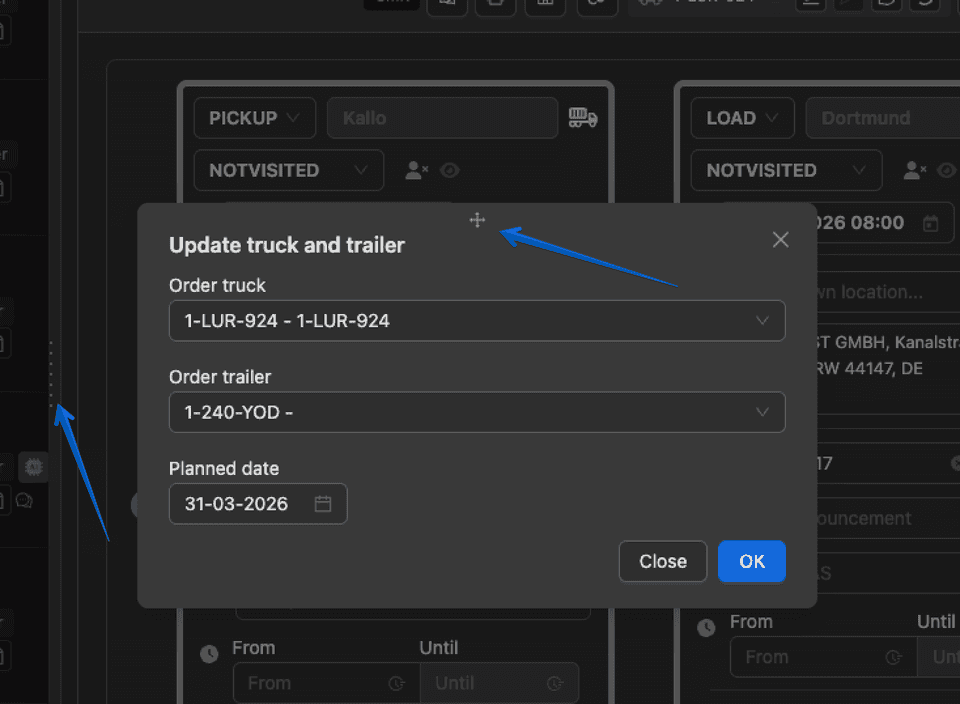
- All drawers/side sliders are now resizable, and all modals can be dragged and moved anywhere on the screen.
- VAT number is no longer required when creating a customer.
- Users can now choose which columns to display in the Customers Overview, including column position and width.
- Users can now set in the customer profile whether to include the CMR with invoices. This setting will override the checkbox when sending emails.
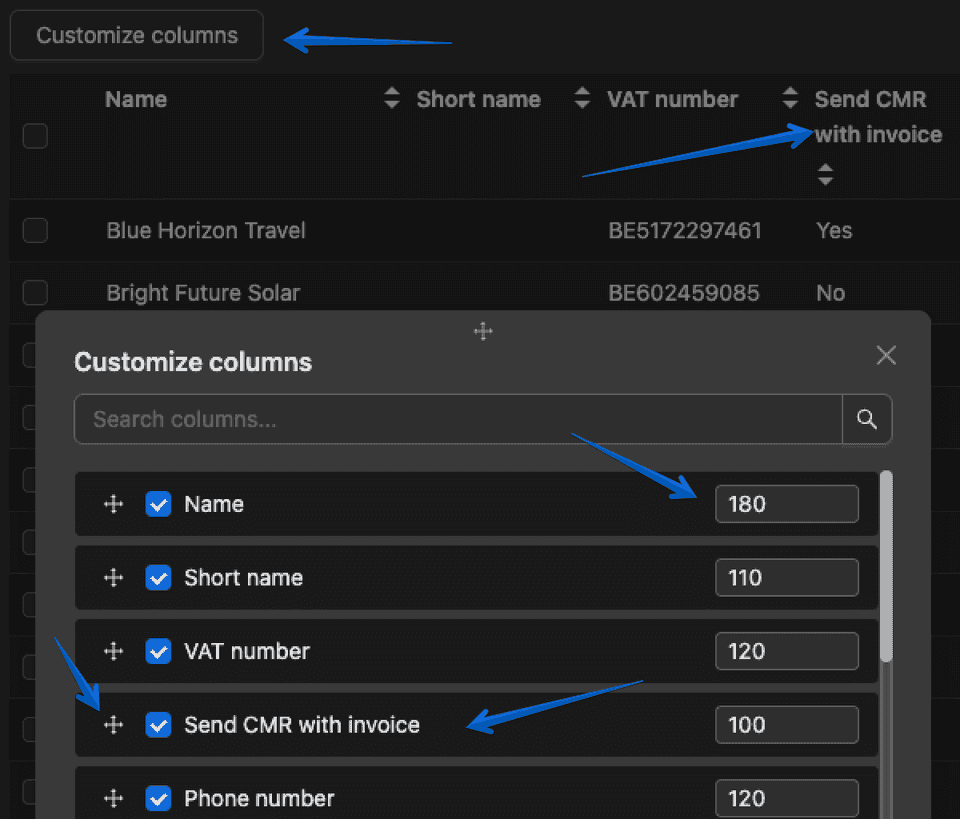
- Users can now send CMRs and extra documents via Peppol. To send a CMR through Peppol, this must be enabled in the customer profile, and the system will use that configuration.
- In Truck Planning, users can now hover over the driver icon to see the driver’s last active date and whether the driver has a cargo card. Users can also click the driver icon to navigate directly to the driver profile.
- Users can now disable supplier costs from being shown in the order PDF for a specific supplier.
- If a driver submits an ETA that is later than expected, the system can now ask whether the driver is late. If so, the driver must provide a reason, provided this setting is enabled by the company.
- Late reasons can now be added or updated from the Transport Details page.
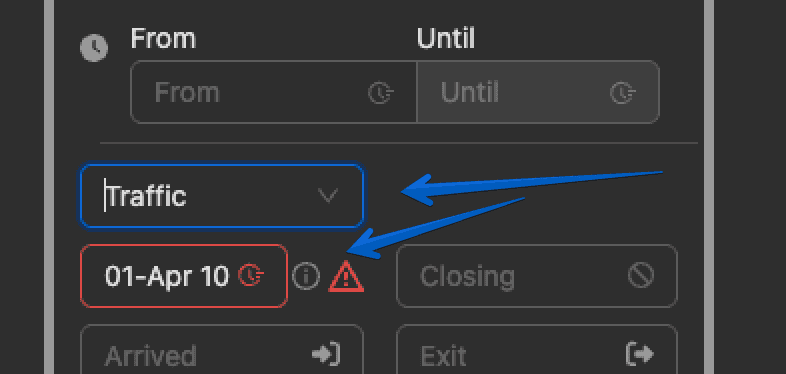
- Users can now overwrite ETD from the Transports Overview, Planning, and Truck Planning pages.
- Users can now export a list of orders and see whether they were on time or not, providing more insight into company performance.
- Load or unload references will now be shown in extra cost emails.
- CoPilot can now detect whether a transport is pharma-related and automatically enable the tag.
- In CoMarket, updates will now recognize the location of an item.
- App changes are now available in Dutch and French.
System Optimizations
- Additional checks have been added to correctly apply location costs in transport customer costs.
- After sending invoices in bulk, the system will now automatically deselect all selected items.
- Drivers will now receive notifications even when the application is not open.
Here you can find all explanations of our release notes online:
https://app.trans-it.be/release-notes
Scroll to 2026.08 (31/3/2026)
Sign up now!
More info about Trans-IT and Market Place!
Send an email mentioning Trans-IT & Market Place to:
lars@trans-it.be
And include your company name, address, phone number, email, …
We will contact you and activate your account!