
Explained in a nutshell:
We are pleased to introduce new updates that offer your team more flexibility in managing truck information and provide a better overview when shipments are delayed.
Custom fields for company and truck:
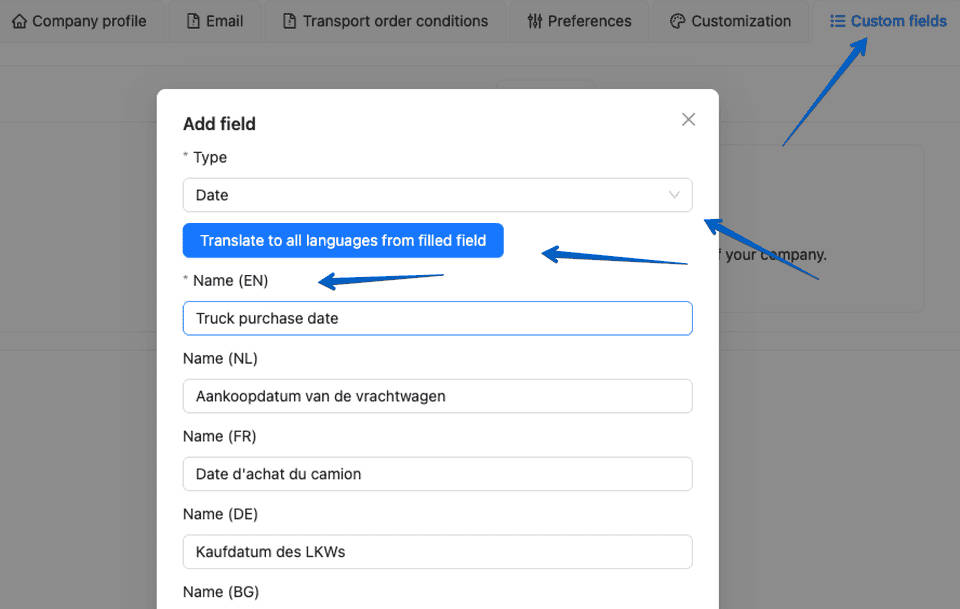
You can now create custom fields for trucks at the company level, making it easier to track the information that matters most to your business. These fields support multiple data types, including text, number, date, and true/false, and can be translated into all supported web application languages.
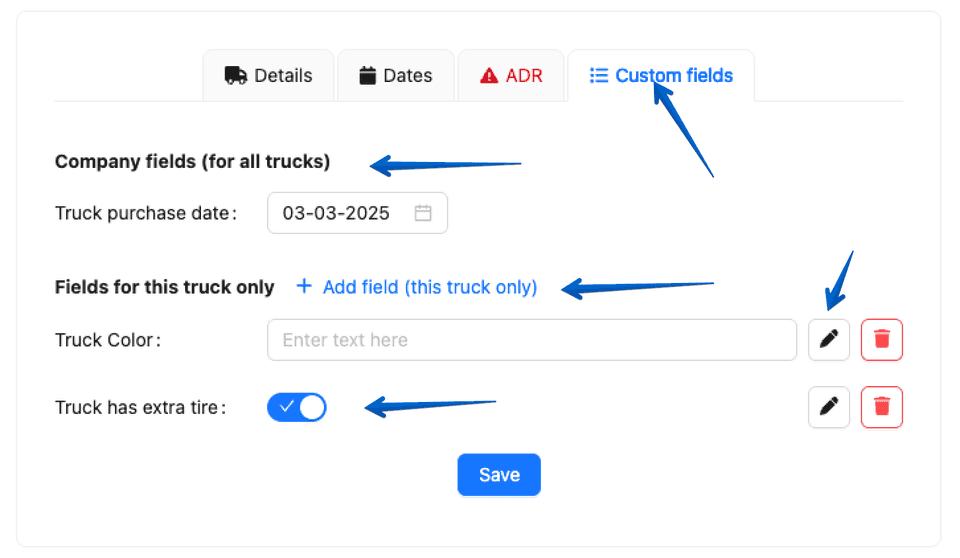
This gives your team more flexibility to store and manage truck-specific data in a structured way. Custom field values can be updated directly in the truck record, and custom truck fields at the company level can also be managed from the truck overview for faster administration.
Selection of reason for late arrival for drivers:
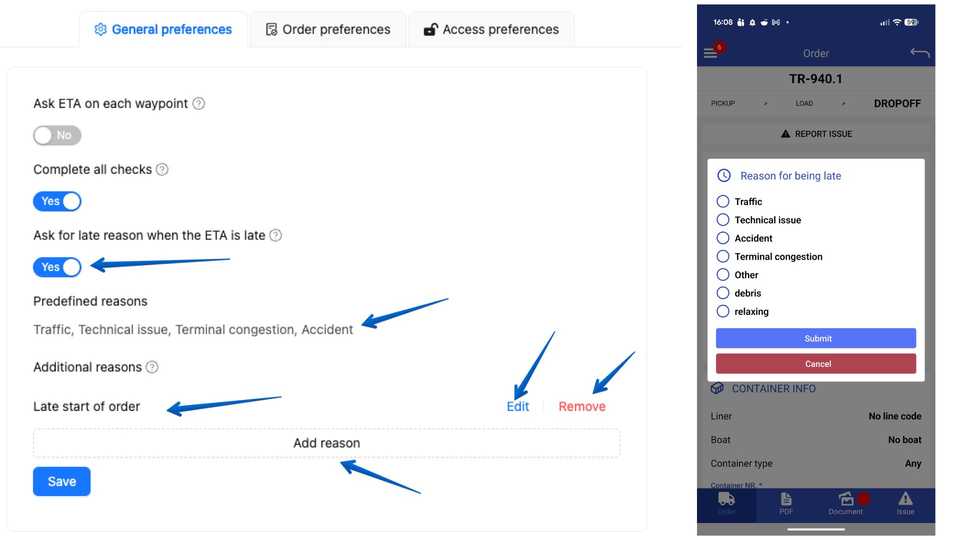
Companies can now require drivers to provide a reason when their ETA is later than the scheduled appointment time. A configurable list of delay reasons can be created by the company, and drivers are prompted to select the correct reason in the mobile app. This improves the overview for planners, customer service teams, and customers. When email updates for late arrival times are enabled, the selected reason for the delay is also automatically shared with the customer. The reason for the delay is also visible on the transport details page, giving your team better insight into delivery discrepancies.
Here you can find all explanations of our release notes online:
https://app.trans-it.be/release-notes
Scroll to 2026.07 (15/3/2026)
Custom fields for company and truck!
Our customers can already fully enjoy this new platform. For the time being, this is still a Beta version, but within 2-3 weeks, this platform will be running at full speed!
This will enable Trans-IT users to:
Users can add custom fields for all trucks in Company Info > Custom Fields.
Custom fields can have names in all supported web application languages, and field types can be text, number, date, or true/false.
Users can add truck-specific custom fields or update the values of custom truck fields on the Truck Details page > Custom Fields tab.
Cost protection to prevent accounting problems
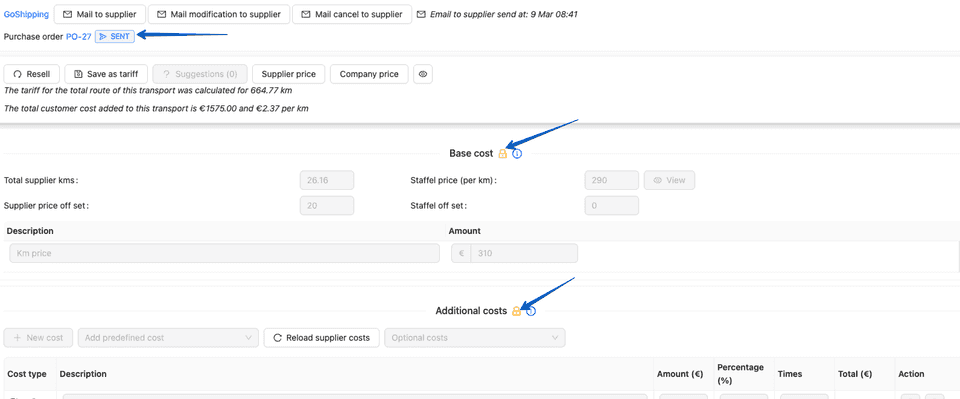
- Users can no longer update order supplier costs once the purchase order is no longer in draft status.
- Users can no longer update or delete other supplier costs once the purchase order is no longer in draft status.
- Users can no longer update or remove customer cost items that are already included in an invoice.
This changes are only for new invoice and costs that are added from today.
Companies can ask drivers for the reason for a late ETA
-
Companies can create a list of late reasons in company mobile app preferences that drivers can select when the ETA is later than the appointment time.
- Drivers must select a reason for the late ETA in the Mobile App if it is enabled in for company.
-
If customer update emails for late ETAs are enabled, the customer will also receive the selected late reason in the email.
-
Users can view the late ETA reason on the transport details page
Here you can find all explanations of our release notes online:
https://app.trans-it.be/release-notes
Scroll to 2026.07 (15/3/2026)
Sign up now!
More info about Trans-IT and Market Place!
Send an email mentioning Trans-IT & Market Place to:
lars@trans-it.be
And include your company name, address, phone number, email, …
We will contact you and activate your account!